
Hockey New Zealand
An event health & safety system for the national body of hockey — from a written brief to a working, clickable prototype in two days.
The client
Hockey New Zealand — the national governing body for hockey. It runs everything from international test matches to national tournaments, and every one of them brings contractors, volunteers, officials and spectators onto a venue.
A much bigger organisation than AIRO's usual client, with the same underlying need: a system that fits how the work is actually done, rather than one the team has to work around.
The problem
Event safety is serious, and it is mostly paperwork. Hockey NZ wrote a detailed brief for one place to run all of it.
Safety lived in documents
Checklists, risk assessments and emergency plans sat in files and forms. Knowing where an event actually stood meant opening several of them.
A lot of people, not much visibility
Contractors, volunteers, venue staff, medics, security and officials — at every event. Who is on site, and who has been inducted, matters most at exactly the moment it is hardest to find out.
Incidents need a proper trail
Report it, decide whether it needs investigating, assign the follow-up actions, close it out — with a record that stands up if anyone asks later.
It has to work on the sideline
Nobody is at a desk during an event. If reporting a hazard takes longer than a minute on a phone, it does not get reported.
Prototype first, before anyone commits
The usual next step after a brief is a proposal and a long wait. Instead, AIRO built the system — every must-have in the brief, working end to end on realistic demo data — and brought it to the first meeting.
Nothing is stored on a server and no real Hockey NZ data is involved. That keeps it free to run and safe to share, and it means the people who will actually use it can click through every screen before a single decision is locked in.
Every judgement call went on a list. Where the brief left a gap — how risks are rated, when checklist items fall due, who can close an incident — the prototype makes a sensible choice and records it for Hockey NZ to confirm or change.
One system for the whole event
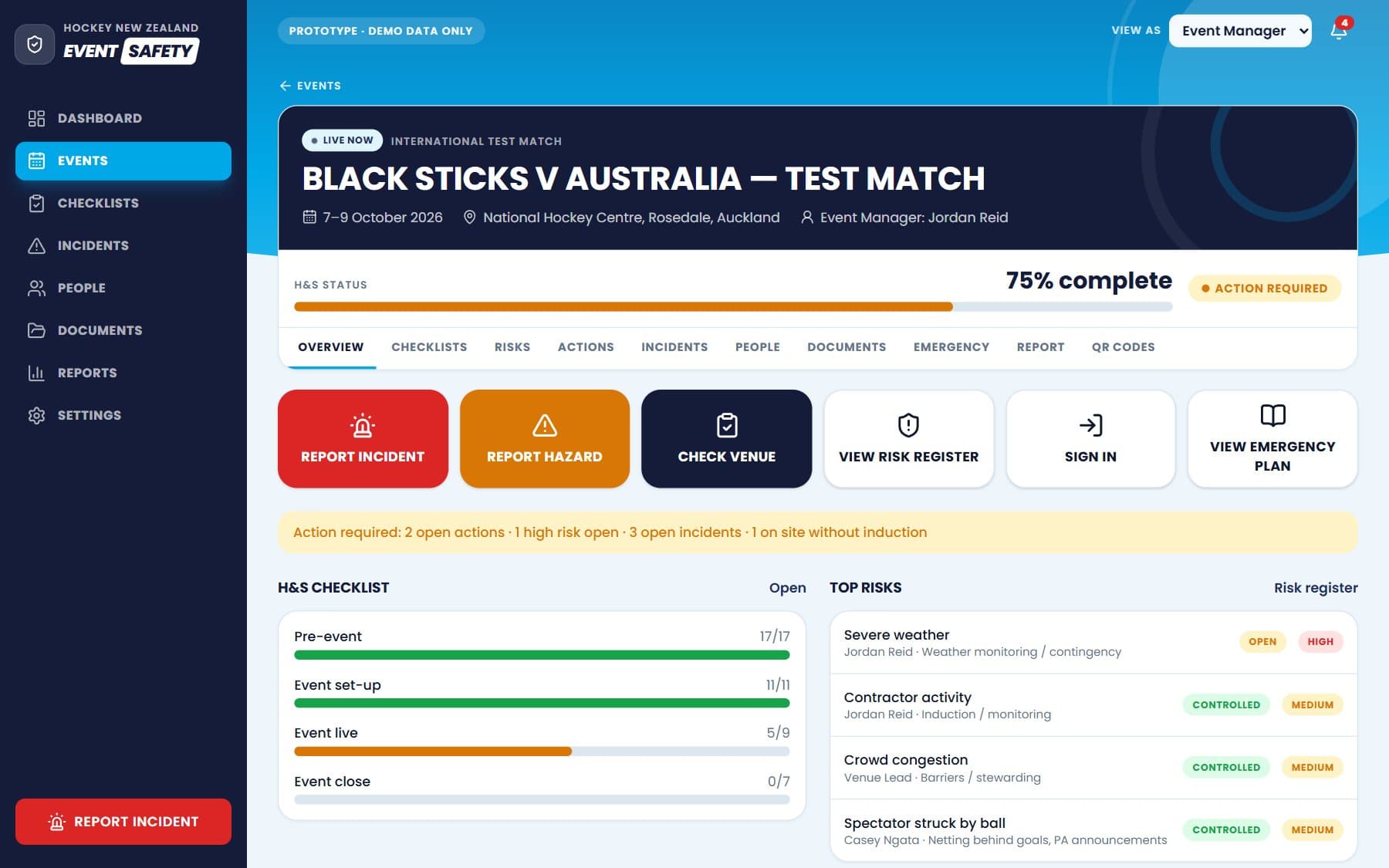
More than 25 screens, from the season overview down to a volunteer signing in at the gate.
Event dashboards
Every event gets a red, amber or green safety status and a completion score, so problems show up before the day rather than on it.
Checklists that write themselves
Create an event and the right checklists appear across four phases — pre-event, set-up, live and close-out — with extra items for international and higher-risk events.
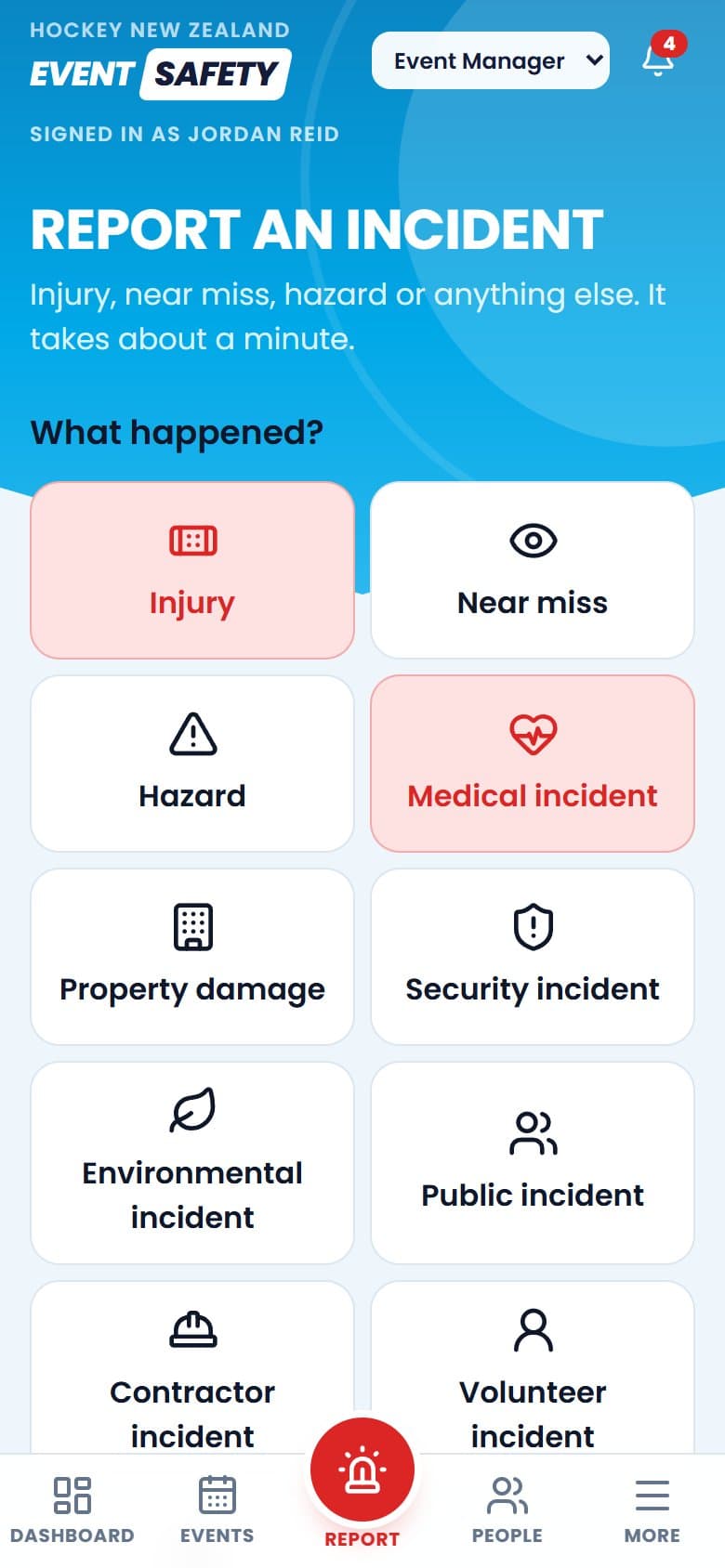
Incident reporting in about a minute
Pick what happened, add the details, done. Serious incidents are flagged as potentially notifiable, and each one moves through investigation, actions and approved closure.
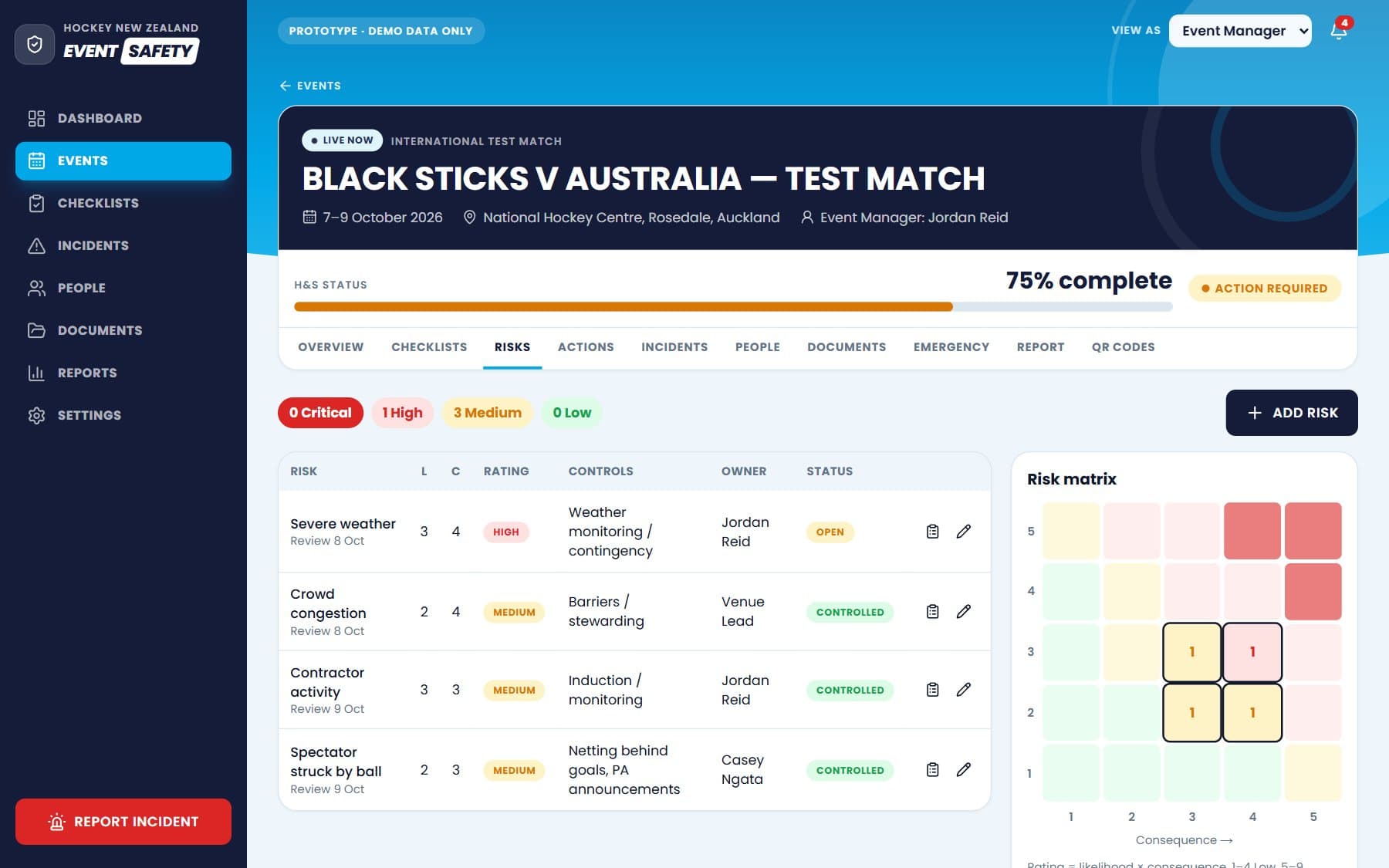
Risk and action registers
Risks rated on a likelihood-by-consequence matrix, with owners and controls. Every follow-up action has someone responsible and a due date, and overdue ones turn the event red.
QR sign-in, no app needed
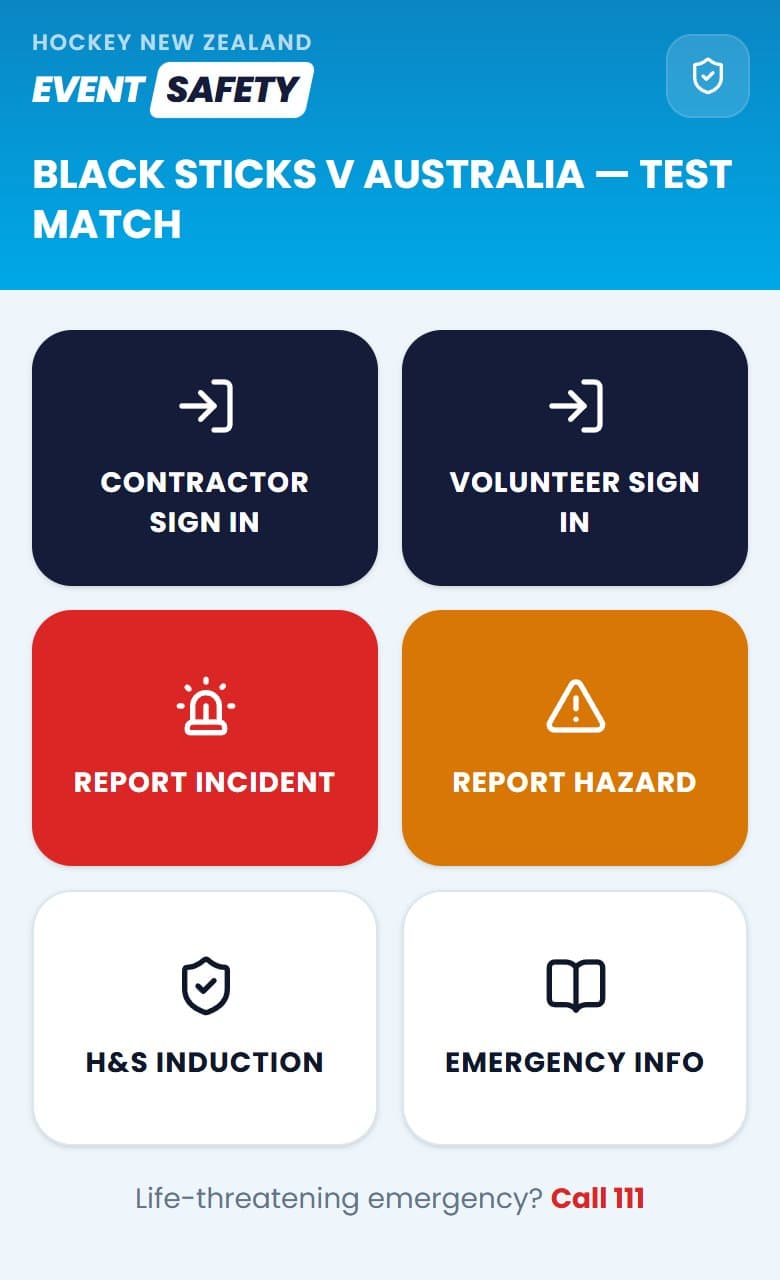
Contractors and volunteers scan a code at the gate, sign in on their own phone and complete a short safety induction. No account, no download.
A live register of who is on site
Everyone signed in, by category, with anyone not yet inducted flagged — and a roll call ready to print if the venue has to be evacuated.
Documents and reports
One library for safety documents, plus a summary report for each event and across the season.
The right view for each person
Admins, event managers, venue leads and read-only viewers each see what they need, and nothing they should not change.
Built for a phone on the sideline
Scan the code at the gate and this is the whole app for a volunteer or contractor: sign in, do the induction, report something, find the emergency information. Staff get a big red report button on every screen.
It already looks like Hockey NZ
The design was taken from the live Hockey NZ website rather than a template: the same sky-blue, the same typeface, the same bold headings. The status colours were kept separate on purpose, because red has to mean danger and nothing else.
Where it stands
The straight version, because prospects ask and I'd rather answer honestly.
Done
- Working prototype covering every must-have in the brief, built within two days of receiving it
- Demonstrated to Hockey NZ, then shared as a live link for hands-on testing
- Tested on laptop and phone, including scanning a QR code through to sign-in and induction
Next
- Hockey NZ testing it and confirming the decisions logged during the build
- Refining the prototype from their feedback
- Then the production version: secure database, real staff logins, email notifications, and hosting on Hockey NZ’s own website
The honest caveats
- It is a prototype. It runs on made-up demo data and has not been used at a real event yet.
- Until the production version, each device keeps its own copy of the data — a phone sign-in does not appear on the laptop.
What AIRO has learned so far
Early days, but some of it is already clear.
01Show it, don’t spec it
A working prototype answered questions a proposal never would have. The first meeting skipped “could this work?” and went straight to “keep building it”.
02Make it look like theirs
It was styled to match the Hockey NZ website — their blue, their type, their tone. People picture using something much faster when it already looks like it belongs to them.
03Write the assumptions down
A brief never answers everything. Every gap got a sensible default and went on a list for the client to confirm, instead of being quietly decided for them.
04Design for the sideline first
Every screen was built for a phone held in one hand, outdoors, in a hurry. The desktop version was the easy part.
Got a system that should exist?
Send the brief — or just describe the problem — and you could be clicking through a prototype within days.